

5.1. Hardware#
TII Spectrometry Touch runs on a dedicated, integrated spectrometer appliance: a touchscreen, a spectrometer, and the networking hardware to reach it, combined into a single enclosure. There is no keyboard, mouse, or separate computer to set up - the device is ready to measure as soon as it is powered on.
Two form factors are available:
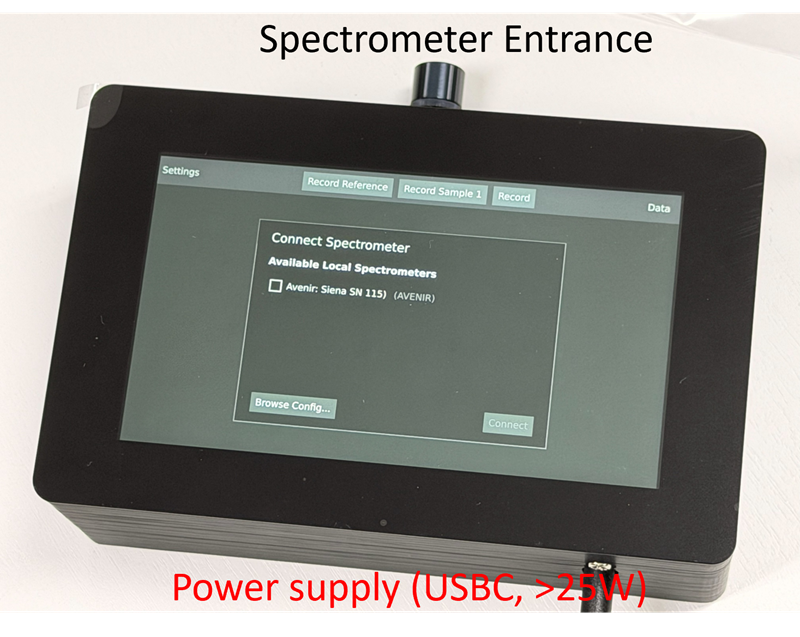
Fig. 5.1 The compact TII Spectrometry Touch spectrometer#
The compact unit (Figure 5.1) integrates a single spectrometer behind the entrance visible on top of the enclosure, with the touchscreen on the front.
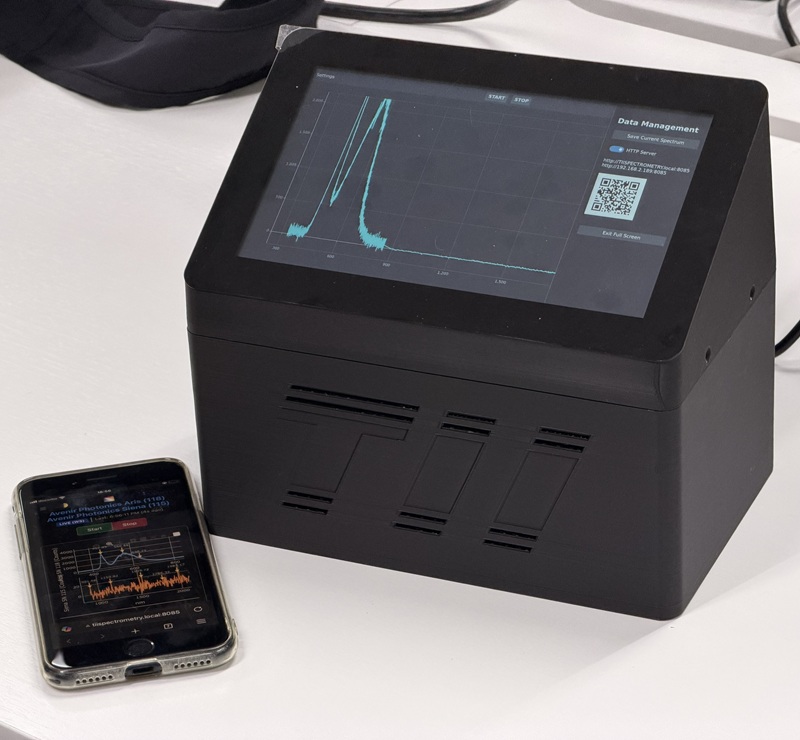
Fig. 5.2 The TII Spectrometry Touch multi-spectrometer device#
The multi-spectrometer enclosure (Figure 5.2) houses up to three spectrometers behind a single, larger touchscreen. This can used to, for example, monitor several independent sources at once, or to combine two spectrometers with different spectral coverage into a single, extended spectral range.
Warning
The device requires a USB-C power supply capable of delivering more than 25 W for reliable operation.
One of TII Spectrometry Touch’s key features is full networking capability: the device can be reached over Wi-Fi from a phone, tablet, or laboratory computer, both to view live data and to control it remotely, without ever needing to touch the screen. Multiple devices can be combined if desired.
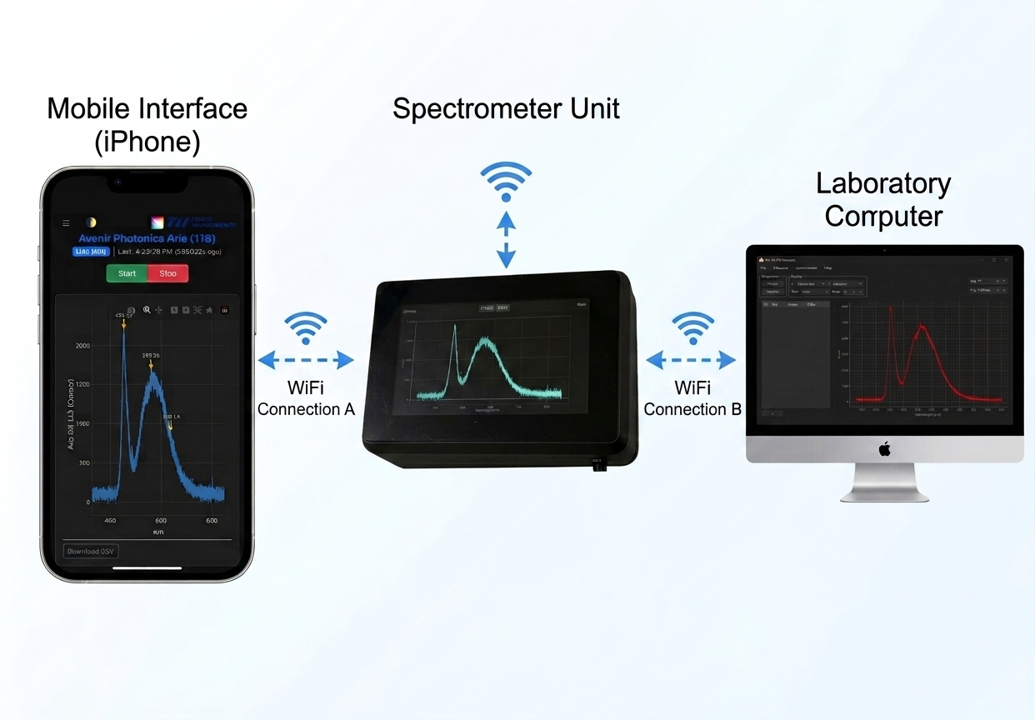
Fig. 5.3 Remote Spectroscopy using TII Spectrometry Touch#
As shown in Figure 5.3, this includes a lightweight web dashboard for mobile devices and the same TCP/IP server interface used to control TII Spectrometry remotely, allowing a laboratory computer running the full application to acquire from the device as if it were directly connected. See Network & Sharing for details.